


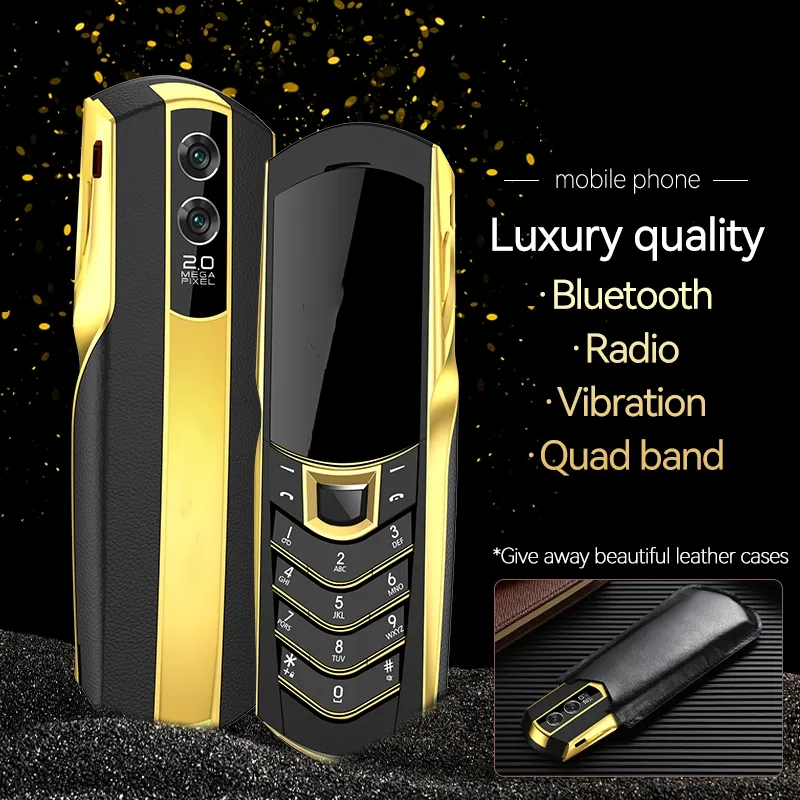
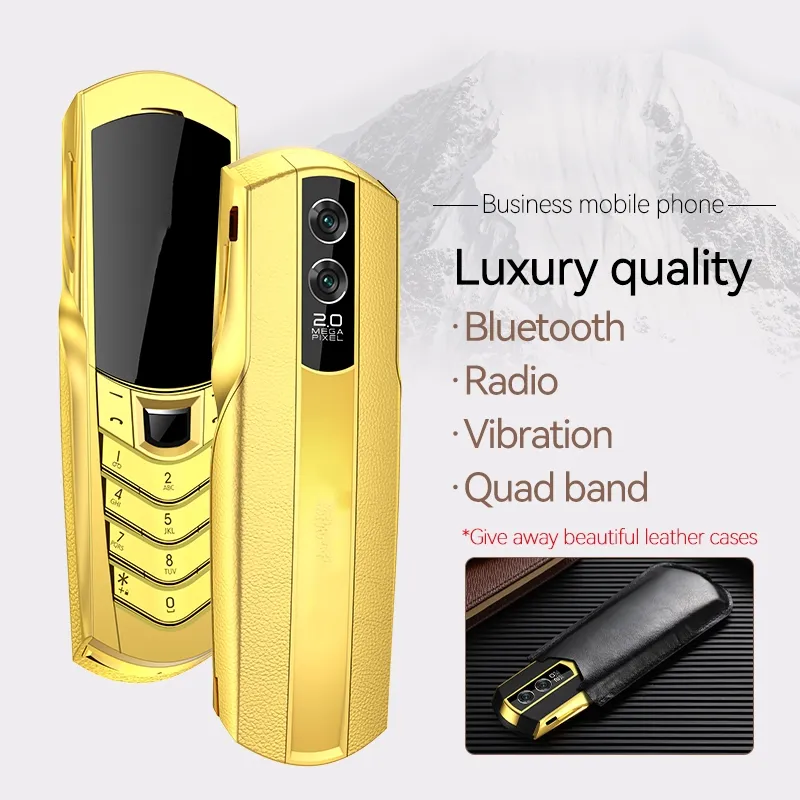
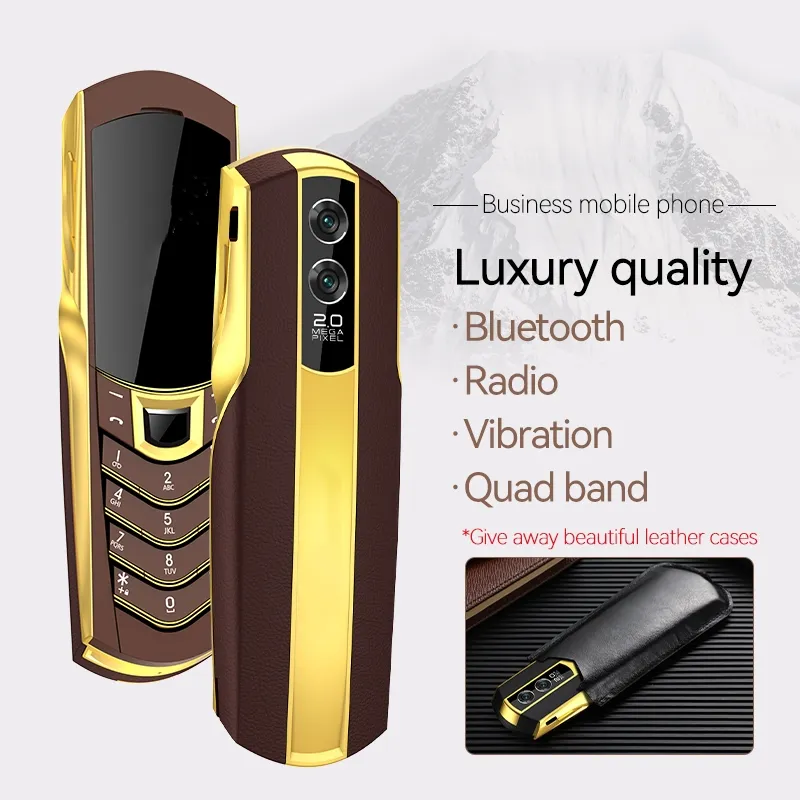
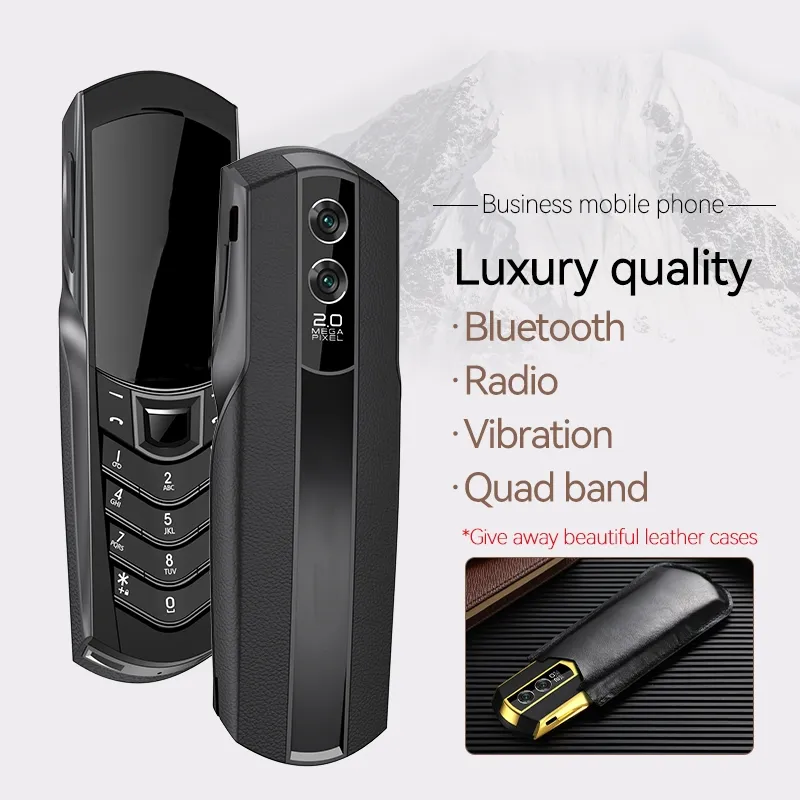
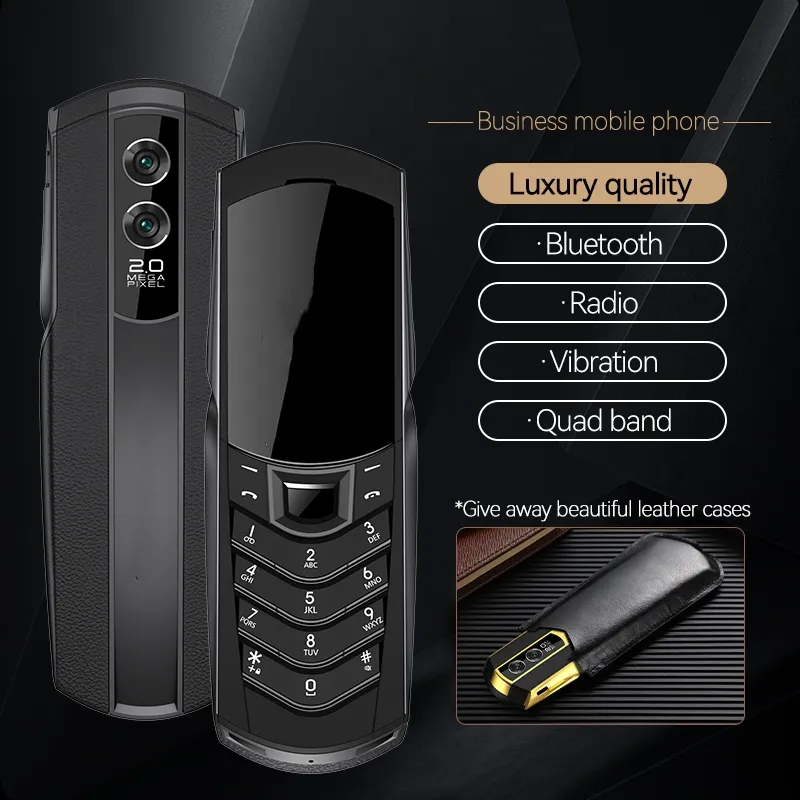
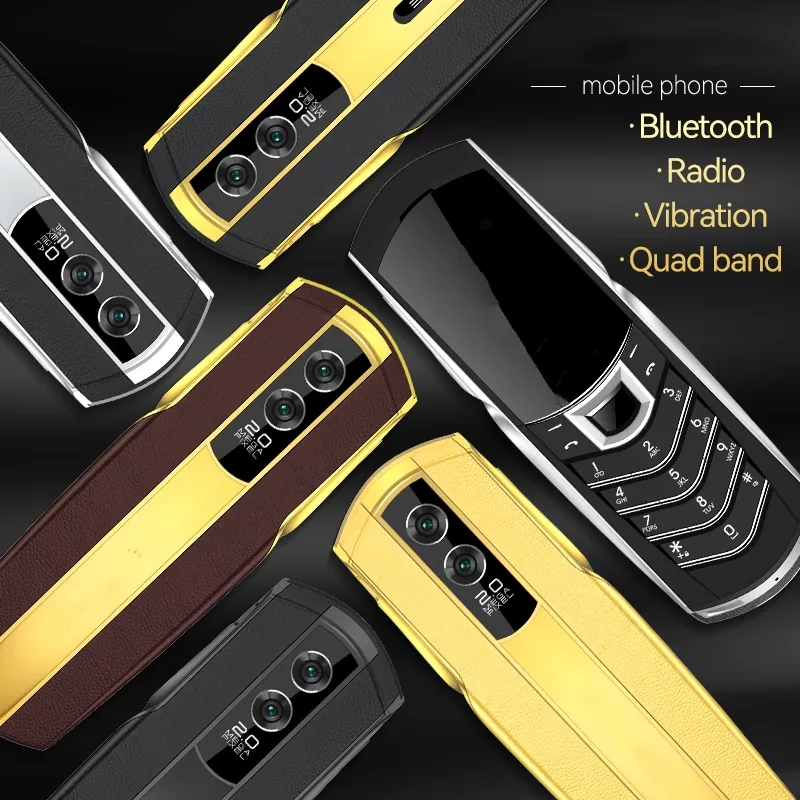
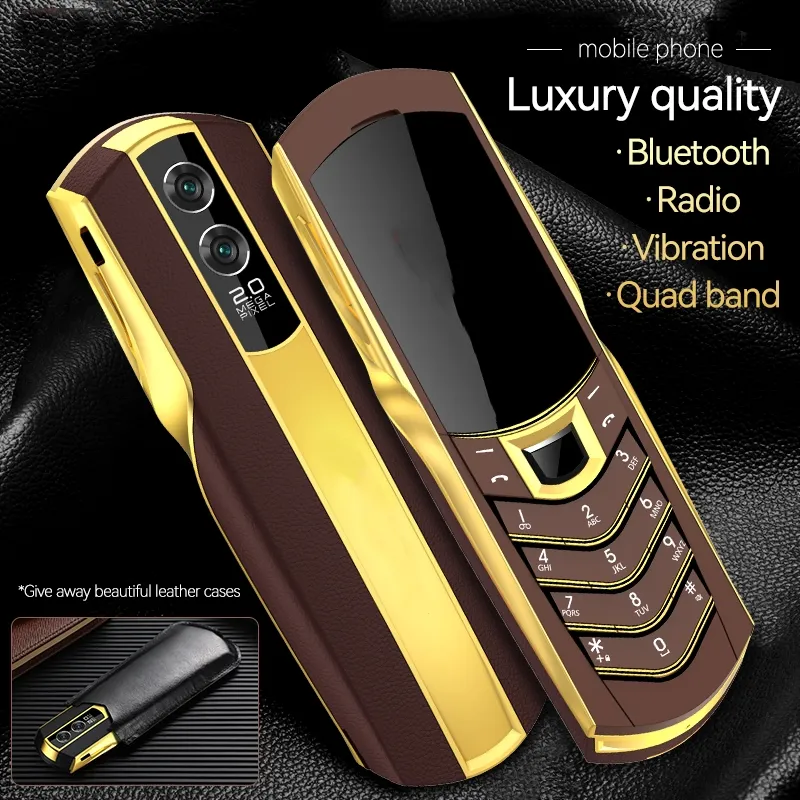
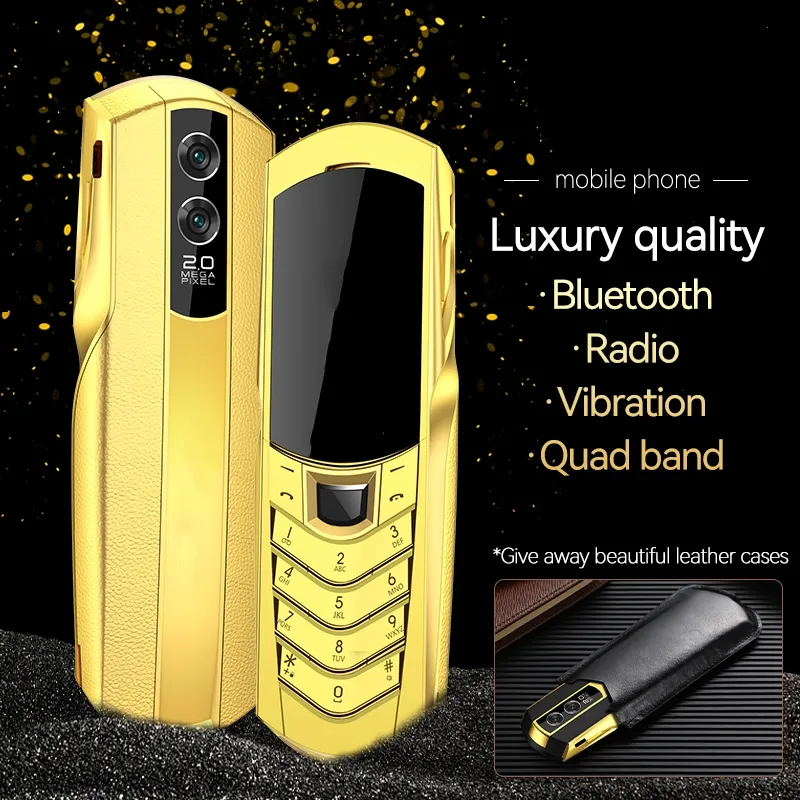
Gold Business Unlocked Dual SIM 2G GSM Cell Phones ...
内部商品

![[SG STOCK] 5-10ML Refillable Perfume Bottle Portable Perfume Atomizer Glass Vial Dispenser Pump Container Spray Bottle](https://www.dodomall888.com/storage/app/public/sg-11134207-7qvdl-lhppxr008ix9be.jpg)

- [Multimedia] Support MP3 playback, support background playback, Bluetooth stereo output, lyrics display, support MP4 video playback, recordable
- [memory capacity] Less than 2GB memory [Data transmission] USB data line transmission, support USB flash drive function [Internet access] Support WAP browser, GPRS Internet access (2g)
- [Other functions] Alarm clock, calendar, calculator, memo, world time, unit conversion, exchange rate conversion, health management, stopwatch, e-book,
- FM radio, self-made ringtone, recording function, blacklist, time switch, time-limited
- Operation System:
- No OS
- CPU:
- Single Core
- RAM:
- 128MB
- ROM:
- 256MB
- Display Size:
- 1.8
- Display Resolution:
- 480X320
- Camera Pixels:
- <1.3MP
- Feature:
- MMS with MP3 with Qwerty With Ebook Back Camera with Bluetooth Color Screen Video Player Dual Sim Card
- Battery(mAH):
- 1600
- Network:
- GSM900 GSM1800 GSM1900 GSM850
- Language:
- English French Russian Arabic Chinese German Spanish Malay Thai Portugal Indonesia
- Memory Card up to:
- 8G
- Size:
- 134*45*13MM
- Sim Card:
- Dual SIM SIM Card
- Design:
- Flip
- Item Code:
- 435567974
- Category:
- Cell Phones
- New Arrive Luxury Gold Signature dual sim card Mobile Phone stainless steel leather body MP3 bluetooth 8800 metal Ceramics back Cell phoneUS $40.71-58.29/Piece
- High quality Unlocked super luxury Gold mobile phones for man Dual sim card metal frame stainless steel cell phone free caseUS $36.19-52.58/Piece
- Luxury Gift 3.0" dual Screen cell phones speed dial one-key SOS call FM touch mobile phone Big button Original TKEXUN G10 Mobile PhoneUS $35.28-49.15/Piece
- Unlocked Luxury Golden classical Signature 4G LTE Quad Band Cell Phone Slider 4G sim card Mobile Phone stainless steel body bluetooth 8800 metal Leather CellphoneUS $69.35-91.43/Piece
- Original SOyes Mini Pocket Cell Phones Unlocked Smallest 4G LTE Smart Mobile Phone With 3.0 Inch Ultra-Slim Quad Core Android 10 Google Play CellphonesUS $66.84-96.88/Piece
- Unlocked Good Signal Durable Outdoor Large Power Mobile Phone Flashlight Flexible Antenna Tri 3 Three Sim Cards Powerbank Whatsapp Quick Dial Torch Cell phonesUS $36.99-52.58/Piece
- Mini Car Shape Flip Funny Mobile Phone for Kids Dual SIM Flashing LED Lights Big Button Clear Call Student Toy Phone GiftUS $31.18-43.43/Piece
- Unlocked Extra Slim Original TKEXUN Flip Cellphone Dual Sim Card Metal Torch Handwriting Screen Large Key Camera Luxury Golden Mobile PhoneUS $27.74-38.86/Piece
- Original SOYES XS14 Pro Mini 3.0 Inch Smart Phone 4G LTE 2GB RAM 16GB ROM Android 9.0 Quad Core 2600mAh Face ID Type C OTG Small PhoneUS $69.35-100.58/Piece
- New SOYES S10P Mini Card Cellphone 2G GSM 800mAh Ultra-thin Small Portable Student Backup Keyboard Mobile Phone Ultra-Thin Fashion Children Small Size PhonesUS $20.35-30.86/Piece
- Unlocked 2G GSM Bar cell Phone Luxury High Classic Metal Signature Handmade Phones Dual Sim card Camera Bluetooth Mp3 Free Leather CaseUS $42.07-58.29/Piece
- Unlocked Luxury Golden Cell Phone Signature dual sim card Mobile Phones stainless steel leather body MP3 bluetooth 8800 metal Ceramics back CellphoneUS $42.07-58.29/Piece
- Original New i15 Pro Flip Cell Phone 2.4" Dual SIM Card 2G GSM Automatic Call Recording Bluetooth Foldable Button Mini Mobile PhonesUS $32.72-45.72/Piece
- Rugged Classical Retro Mobile Phone KR999 Big battery 4500mAh Powe bank telephone vibration Flashlight FM radio ancient Dual Sim CellphoneUS $42.52-61.72/Piece
- New Unlocked Luxury Gold Signature Phones Slider dual sim card MobilePhone stainless steel body MP3 bluetooth 8800 metal Ceramics back Cell phoneUS $45.23-64.0/Piece
- Original TKEXUN M2 Flip cell Phones Metal Body Senior Luxury Dual Sim Camera MP3 MP4 3.0 Inch Touch Screen Mobile Phone Free CaseUS $38.9-54.86/Piece
- Mini Car Shape Flip Funny Mobile Phone for Kids Dual SIM Flashing LED Lights Big Button Clear Call Student Toy Phone GiftUS $31.18-43.43/Piece
- Soyes Unlocked Mini Android Smart Phones 3.0" Inch HD Screen Quad Core Google play Pocket Cellphone 2GB RAM 16GB ROM 5.0MP Dual SIM card Mobile PhoneUS $50.86-74.29/Piece
Bundel note
Standard=Phone+battery+charger+cable+other accessories
Standard With 2G TF=Phone+battery+charger+cable+other accessories+2GB TF memory card
Standard With 4G TF=Phone+battery+charger+cable+other accessories+4GB TF memory card
Support multi-languauge:
English, French, Spanish, Portuguese, Indonesian, Vietnamese, Turkish, Russian, Arabic, Persian, Thai
Support Russian Arabic keyboard
Technical parameters [for reference only]
[Special Features] Bluetooth function
[network standard] GSM
[Appearance material] Brushed steel +
[Menu Language] Simplified Chinese/English (Multilingual, Quad Band, Global)
[Multimedia] Support MP3 playback, support background playback, Bluetooth stereo output, lyrics display, support MP4 video playback, recordable
[memory capacity] Less than 2GB memory
[Data transmission] USB data line transmission, support USB flash drive function
[Internet access] Support WAP browser, GPRS Internet access (2g) does not support WeChat QQ
[Other functions] Alarm clock, calendar, calculator, memo, world time, unit conversion, exchange rate conversion, health management, stopwatch, e-book, FM radio, self-made ringtone, recording function, blacklist, time switch, time-limited
[Phone] 2000 business card type phone book, call group, caller ID, ringtone, caller video
[Short Message] Support SMS, MMS, Cell Broadcast, Voice Mail, Chat Mode
[Call Record] Support mute/recovery, IP dialing
[bell] 64 chords, MP3 ringtones
【Standby picture】 Support dynamic
[Other functions] Switching machine animation
[Mobile phone model] [network frequency] GSM 850/900/1800/1900
[About imei code] support change imei code
FAQ About Cell PhonesPlease Note:
*The actual available internal storage may differ depending on the software configuration of your phone. *Features and specifications may change without prior notification.So pls contact seller if you have any question. *The actual battery time(Talking time, standby time, etc.) may differ depending on the network provider and environment of use.
Q: About Network bands
A: We Add a link to show you how to check the phone whether can be used in your country
1).All our Smartphone Unlocked for Worldwide use, But please check if your local network is compatible with our phones, you can check this link: willmyphonework.net or maps.mobileworldlive.com to see the Network Frequency in your country, please confirm with your carriers or providers before you purchase this item.
2).Most dual SIM mobile phones only one SIM slot support 3G WCDMA / 4G LTE network.
Q: Can't turn on the Phone or still display the LOGO:
A: 1.After you receive the phone, but can't turn on it, Pls confirm you have removed the protection film from the battery. The battery may use out because of long time shipping, Pls charge the battery for at least 3 hours,if the battery can't be charged,pls try to change the Plug adapter.
1). peal off the film on the battery;
2). hold "power button" up to 5s;
3). Battery might drained/with low voltage, please recharge for at least 10 minutes or long press the power key for second,then full charge it.
4). Remove battery,then insert it, power on;
5). charge the phone or Charge the battery by Universal charger;
6). Maybe battery and mobile phone contact too loose;
7). Maybe Metal contact surface is dirty or oxidized.
2.If only display the logo, You may need reinstall the firmware.
We will send the download link from order message, pls download and unzip the file, then do as the guide.
Q: About dead pixels
A: We'll check all the phone screen to avoid dead pixels. But we can not make sure the phone without dead pixels,coz according to ISO13406-2( en.wikipedia.org/wiki/ISO_13406-2),there's an allowable range for dead pixels. So we do not accept the refund because of dead pixels, unless it's out of allowable range,otherwise you should pay the postage.
Q: Why is the ROM less then 16G/32G ?
A: 1).The recover and cache will occupy the ROM, so it will show less than 16GB/32GB
Q: Can not access to 3G/4G Internet
A: Make sure that you have Internet access service first and then go to "Setting"-->"Networks"-->"SIM Cards"-->"APN (Access Point Name)". If you don't have APN information, you have 2 options:
1). call your Network Provider and they will give you the info.
2). download this app: play.google.com/store/apps/details?id=net.thenatureweb.apnsettings
Q: Can't receive SMS
A: 1)"Setting"--->"location access"---> Cancel "Wi-Fi & mobile network location" option, then reboot phone.
2).If the first method can not solve the problem, Can be solved by restoring factory setting (recommended to back up your data):
"setting--->"Backup & reset"--->"Factory data reset"---"Reset phone".
Q: Can't open WLAN or can't search wifi signal
A: 1).wifi band: some mobile phones can not support 14-band, So you need set your router wifi band or reset your router
2).Install the latest firmware from official site or connect our services.
Q: Can't recognize TF card or install app to TF card
A: 1).Some phones do not support TF card
2).Make sure the TF card is not damaged, and can be read and written
3).Check whether there are installation location options in "Setting"
4).Install the latest firmware from official site or connect our services
Q: Can't recognize SIM card or the Signal instability
A:1).Make sure your SIM card is not damaged or nonfunctional
2).Do not remove SIM card or TF card when phone is power on! Otherwise may make your phone damaged!
3).Root your phone, Use Mobile Uncle Tool enter to band mode, and choose all the available bands
4).Make sure you have right firmware flashed on your phone
5).Install the latest firmware from official site or connect
相关商品